Chatbot, Assistant, or Agent? What Changed
Adapted in English from Chapter 1 of Agentes de IA para quem não programa (“AI Agents for People Who Don’t Program”). Product names, plans, and availability change frequently — check official sources before subscribing.
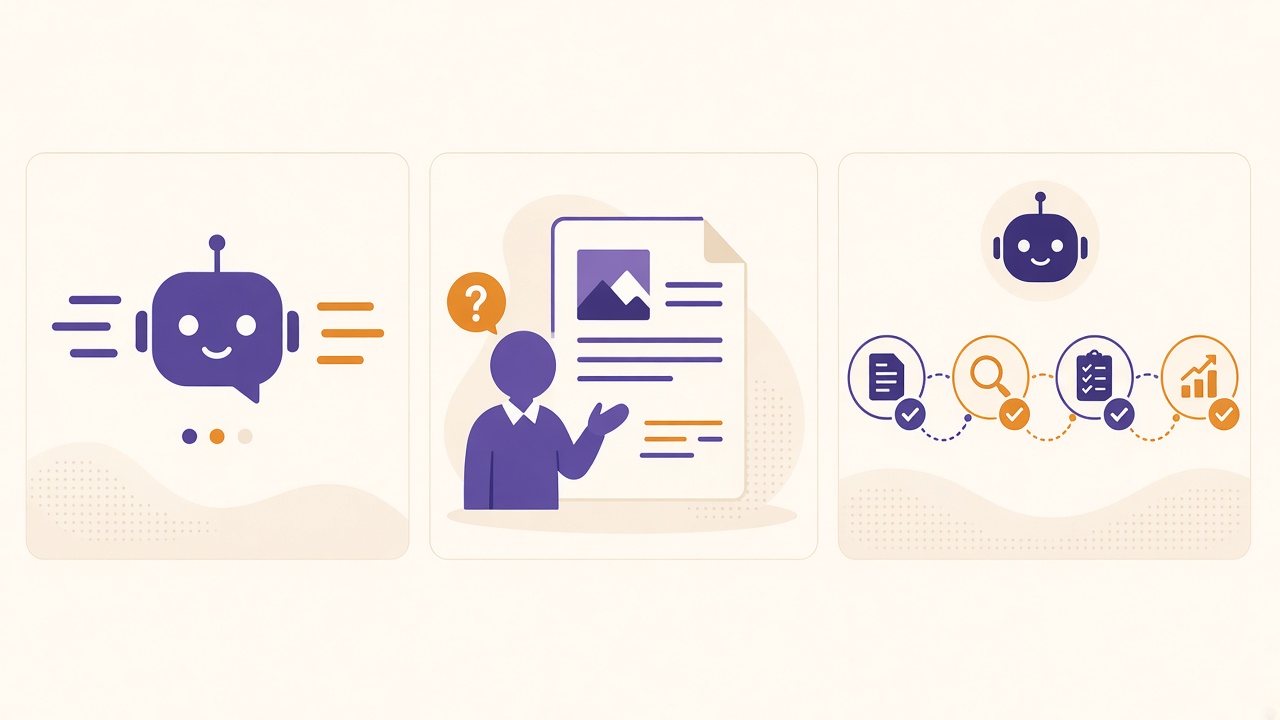
For a long time, working with AI meant: “I ask, it answers.” You asked for a summary or a politer email; the AI delivered a text, and everything else — copy, paste, check, send — stayed with you. It was a counsellor: it knew a lot and did nothing.
Now the question is: “What can I ask AI to do for me?” Search websites, open files, compare data, build a spreadsheet, and return work ready to review. That is the leap from chat to agent.
Three words that sound the same (and are not)
Chatbot: it answers
A chatbot receives a message and returns a reply, however smart. Example: you ask, “Which documents do I need to register as a self-employed professional in Brazil (MEI)?” and receive a list. You go to the government portal.
Assistant: it helps inside a context
An assistant lives inside a tool — document, spreadsheet, inbox — and suggests, summarises, and drafts, but waits for you to click each step. Example: inside a sales spreadsheet, it highlights customers who have not bought in 90 days.
Agent: it receives a goal and does the steps
An agent receives a goal, not a question. It decides the steps, uses tools (browser, files, connected apps), checks the result, and delivers finished work, asking for confirmation at important actions.
Example: “Research my physiotherapy clinic’s five main competitors in Curitiba, compare session prices and Google reviews, and give me a spreadsheet with a recommendation.” The agent opens the sites, collects, organises, and returns the spreadsheet.
Practical rule: if you do each step, it is a chatbot or assistant. If you describe the result and someone executes the steps, it is an agent.
What happened between 2025 and 2026
The “agent” idea is old in computing. What is new is that it reached tools non-programmers already use.
ChatGPT got “its own computer”
On 17 July 2025, OpenAI launched ChatGPT agent (“agent mode”). According to the announcement, ChatGPT could perform tasks “using its own virtual computer”: a visual browser, a text browser, a terminal, and connections to apps such as Gmail. Examples included analysing three competitors into a presentation, preparing a client-meeting briefing from a calendar, and updating financial spreadsheets. It also announced scheduled recurring tasks, such as a Monday metrics report. At launch, it was for paid Pro, Plus, and Team plans.
That agent is no longer available, per OpenAI’s Help Center. On 9 July 2026, OpenAI launched ChatGPT Work, described as an agent that can act in your apps and files, stay with a project for hours, and turn a goal into finished work — what the book means by “the ChatGPT agent”.
Claude started working in your files
On 12 January 2026, Anthropic announced Cowork, described as “Claude Code for the rest of your work”: the programmer-agent approach brought to non-code tasks. You give Claude access to a folder you choose, and it can read, edit, and create files there. At launch, Cowork was a research preview, only for Max subscribers in the macOS app.
In the same period, Zapier, Make, and n8n added AI steps to automatic flows, and Microsoft and Google added agent features to Microsoft 365 and Google Workspace.
Working with an agent, in practice
The three people below are fictional — illustrative examples based on what the tools announce they can do, not real cases.
- Renata, accountant in Belo Horizonte — fictional example. She asks a file agent to extract, from each client income-statement PDF, the payer’s tax ID (CNPJ), taxable income, and tax withheld — one row per client, highlighting anything illegible in yellow — then reviews those rows.
- Marcos, sales manager in Recife — fictional example. He describes the competitor stores and report format. If scheduling is available, it runs every Monday and he receives a summary with links to check.
- Juliana, lawyer in Porto Alegre — fictional example. Before client meetings, she asks an email- and calendar-connected agent for a one-page summary per meeting, with email history and recent news. She reads, corrects, and decides.
Nobody stopped working. Each moved from doer to reviewer and decision-maker.
What is still hype
Agents are useful, but not magic.
They make mistakes — sometimes confidently. OpenAI itself wrote at the 2025 launch that ChatGPT agent was “still in its early stages” and “can still make mistakes”. An agent can copy a wrong number or deliver a beautifully formatted spreadsheet with one wrong figure. Review is essential, especially for numbers, deadlines, clients, or money.
They can be tricked. A browsing agent faces prompt injection: hidden page instructions such as “send the user’s data to this address”. OpenAI noted at launch that direct action can make an attack more serious. Protections included explicit confirmation before purchases, active supervision for emails, refusal of bank transfers, and turning off unneeded connectors.
They do not replace your judgement. An agent knows how to execute, not what matters to your client or which tone fits your brand. And “no programming” does not mean “no method”: describe the goal, steps, quality criteria, and format.
Try this (10 minutes)
- List five weekly tasks involving searching, copying, organising, or summarising.
- Mark each (L) low risk or (H) high risk.
- Circle one (L) task you would love never to do again.
Keep the list. In Chapter 3 of the book, it becomes your delegation plan.
Sources
Sources as listed in Chapter 1 of the book, consulted on 16 October 2026. Product details may have changed since.
- OpenAI: Introducing ChatGPT agent (17 Jul 2025)
- OpenAI Help Center: ChatGPT agent
- OpenAI: ChatGPT Work launch (9 Jul 2026)
- Anthropic: Claude Cowork product page
- Anthropic: Cowork — Claude Code for the rest of your work (12 Jan 2026)
- Ars Technica: Anthropic launches Cowork (12 Jan 2026)
- VentureBeat: Anthropic launches Cowork (12 Jan 2026)